Fest-appen is the guest page for the whole journey: from invitation and save-the-date to the day itself and the collection afterwards. You enable the modules you need. Guests meet the same guest page all the way through. See invitation with QR, toastmaster on the day, party planning or our guide to collecting photos.
Everything below is included in one package price by guest count. Up to 3 active event days are included. You choose what guests see, and when it opens. Personal trial page: 30 days free with limited test content.
Put a link or QR in the save-the-date or invitation. Guests can RSVP, follow the countdown and find the schedule, menu and practical info well before the day. Everything lands on the same guest page.
Put a link or QR in the save-the-date, invitation or welcome email: months before the event opens. Guests who arrive early see an invitation page with a welcome message, optional image or video and a live countdown. You can also show the schedule, menu and practical info before the day itself. It is the same guest page when the party starts.
You download a QR in admin and put it in your own invitation design. Guests scan, type their name and reply yes or no. Want to track each guest? Make a personal QR for the household. Fest-appen does not send the invitation for you. It records the reply.
Print QR materials for the event: posters, table cards, tent cards and QR strips for the bar or tables. Everything matches your theme automatically. Guests scan, upload and join from the very first moment.
Schedule, menu, practical info, seating, accommodation and band can be visible before the event day, and stay there when guests arrive. One place to look instead of scattered messages and PDFs.
Schedule, menu and practical info on the phone. Find yourself for seating, accommodation and activities. Photos and messages come in on the big screen. The coordinator runs the evening from their phone. It is the same guest page guests already know.
Guests scan the QR code and upload straight from their phone. No app, no account: works from the very first visit. An optional PIN keeps uploads safe from outsiders.
Guests' photos land in one shared gallery, updated in real time. Guests browse, zoom and react with emojis, and see what others have captured.
Put an iPad or tablet on a stand, open the photo booth link and let guests take photos with a countdown. Photos go straight into the gallery. You need to provide a dedicated device: we supply the software, not the hardware.
Photos and guestbook messages scroll automatically on the big screen. New photos pop straight in as the next slide. Connect a laptop to the projector, and it runs by itself.
Guests write a message with their name. Messages appear on the page and weave into the TV slideshow. Enable moderation for full control, and download all messages afterwards.
Guests react to photos and messages with emojis. When a post gathers enough reactions, emojis flood the big screen with a matching animation: hearts, flames, confetti. A spontaneous moment nobody planned for.
When is the speech? When does the dancing start? Enter the schedule with times and titles. Guests look it up on the page, and items scroll across the TV screen as a live ticker.
Send a short message to all guests instantly: "Dinner is served", "We're gathering in the garden". The message appears at the top of the guest page and scrolls across the TV screen. Updated by you or the coordinator directly from their phone.
Starters, mains, dessert: split into sections with optional intro text and image. Guests with allergies or preferences can look it up themselves.
One entertainment card on the guest page: type, time, place, text and optional video or links. Not a mini schedule, just what guests need to know for the evening.
One search at the top of the guest page: guests type their name, pick from the list and instantly see seating, accommodation and activities. No public overview of everyone: private, fast and calm at the door.
Teams, groups and optional info for a company outing, sports day or competition. Guests find their team via Find yourself, and can still browse the activities on the page.
Houses, rooms and who sleeps where. Guests find their place via Find yourself and only see their own card, with address, Wi‑Fi and access codes behind a button. Optional codes per house and room.
Table and tablemates without a public list of every seat. Guests pick their name in Find yourself and instantly see where they sit: private and confusion-free.
Address, parking, dress code, links and anything else you need to share: organised in free-form cards with text, buttons and optional video. Guests look it up themselves instead of asking you three times.
One clear message just above the schedule, for messages guests need to see right away: surprises, briefings, bus times. You choose when the message shows and can hide it again instantly. Guests see a softly highlighted card on the front page.
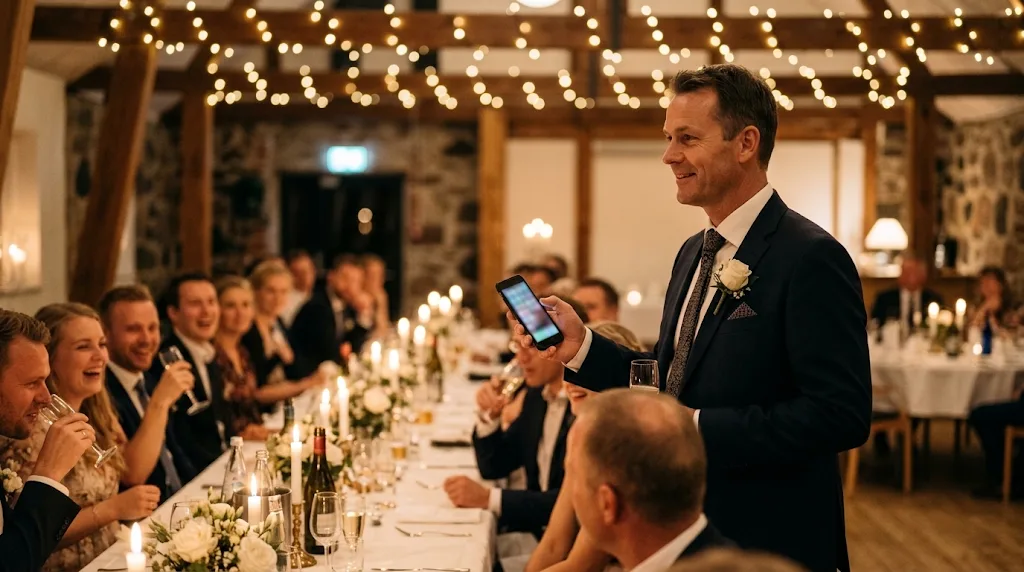
A private link for whoever runs the evening, no admin login. The toastmaster gets their own run sheet with times and notes, approves greetings and photos, and sends messages to guests and the big screen. They can also pause uploads, turn on quiet mode and share notes with the rest of the team, then wrap the night when it ends.
Uploads and the guestbook can stay open for a few days so the last photos and thank-you messages come in. Then you get one bundled package with everything guests contributed.
When the event is over, the page shows your own closing message rather than nothing. Guests who scan the QR code afterwards see a proper goodbye, and you decide what remains visible.
Guests' photos at full resolution and correct orientation, plus the guestbook in HTML and CSV, packaged in one file. You get a personal download link by email. The link stays active for around 30 days.
Many hosts find a chunk of photos only arrive the day after, from guests who forgot mid-dance. That's normal, which is why you can keep upload open.
Yes. Invitation and replies, schedule, menu, practical info, photos, guestbook, live TV, photo booth software, toastmaster, print kit and the download package are included in the package price. Up to 3 active event days are included. You choose which modules guests see: there are no hidden add-ons.
No. Everything runs in the phone browser via QR code. No App Store, no Google Play, no account.
Yes. In admin you switch each module on or off. Guests only see what you enable, for example only schedule and photos if you do not want seating.
No. The software is included. For the dedicated photo booth view you provide your own iPad or tablet. Guests can always upload from their own phones via the regular QR.
A private control room on the phone for the evening. The toastmaster gets their own run sheet, approves greetings and photos and sends messages to the big screen. They can also pause uploads and the photo booth, turn on quiet mode, share notes with the rest of the team, look up guests and wrap the night. Opens with a link, no extra login.
Yes. Turn on pre-approval so new photos stay hidden until you or the toastmaster approve them on a phone before they appear on the guest page or TV. You can also delete or reject uploads instantly from the toastmaster Inbox or admin.
Typically about 30 days from when we issue the link. Save the package locally while it is active: we are a tool for the party, not a long-term photo archive. The organiser can also fetch it from admin while the link is valid.
Many people search for Guest Appen and similar party apps. Fest-appen is a Danish guest page with QR: schedule, menu, practical info, photos, guestbook, live TV and toastmaster in one price, without guests downloading an app. Try the demo now, or get a free trial page via the form if you want to compare for your event.
Photos are stored on servers in Denmark with Simply.com (EU). During the event, guests with your QR code or link can see the gallery and slideshow, and the organiser and toastmasters you invite can manage it. Afterwards you download the package. See the privacy policy for details.
Yes. Gallery and TV may use lighter formats for speed, but the download package contains the original files at full resolution.
Fill in the form and we create your guest page. You get login by email, typically the same weekday (weekend: next business day), and a free 30-day trial with limited test content. No commitment until you order and pay. When you pay, you continue on the same guest page with the setup you already made.